Set Up
Open a session, choose courts, set the rotation, and decide whether games are rated.
The operating system for organized Open Play
Replace paddle stacks, shouting names, and spreadsheet guesswork with guided check-in, smart queueing, live courts, player live links, and optional BDR-rated results.
Built from real BackDoor League and TPBL operations.
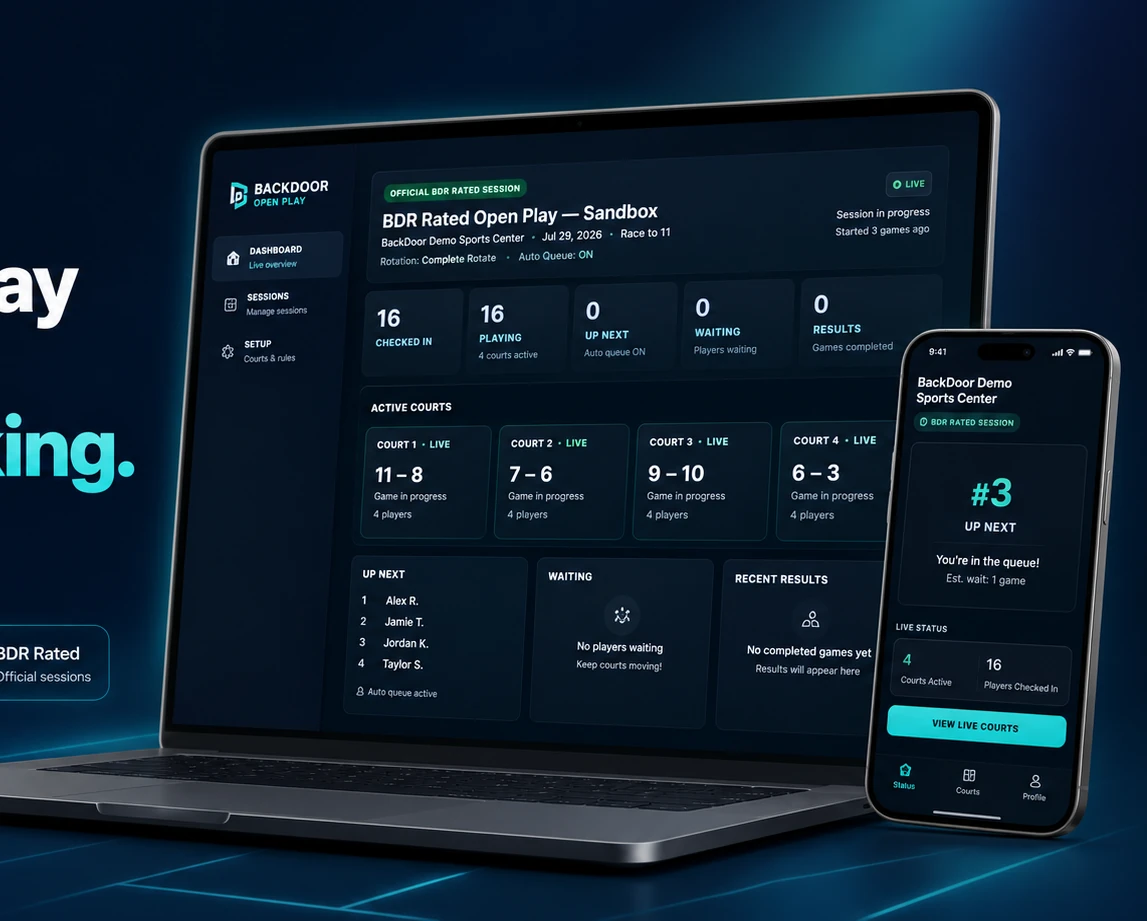
One guided workflow
Open Play should feel easy even when the venue is busy. The product follows the event in the same order an operator thinks.
Open a session, choose courts, set the rotation, and decide whether games are rated.
Scan a QR code, approve a registration, or add a walk-in without slowing the line.
See active games, fill available courts, call players, and enter scores from one place.
Review results, preserve the session record, and process approved rated games safely.
Guided OP Control
The operator sees the exact session, active courts, players on site, waiting queue, saved results, and the recommended next action without digging through unrelated systems.
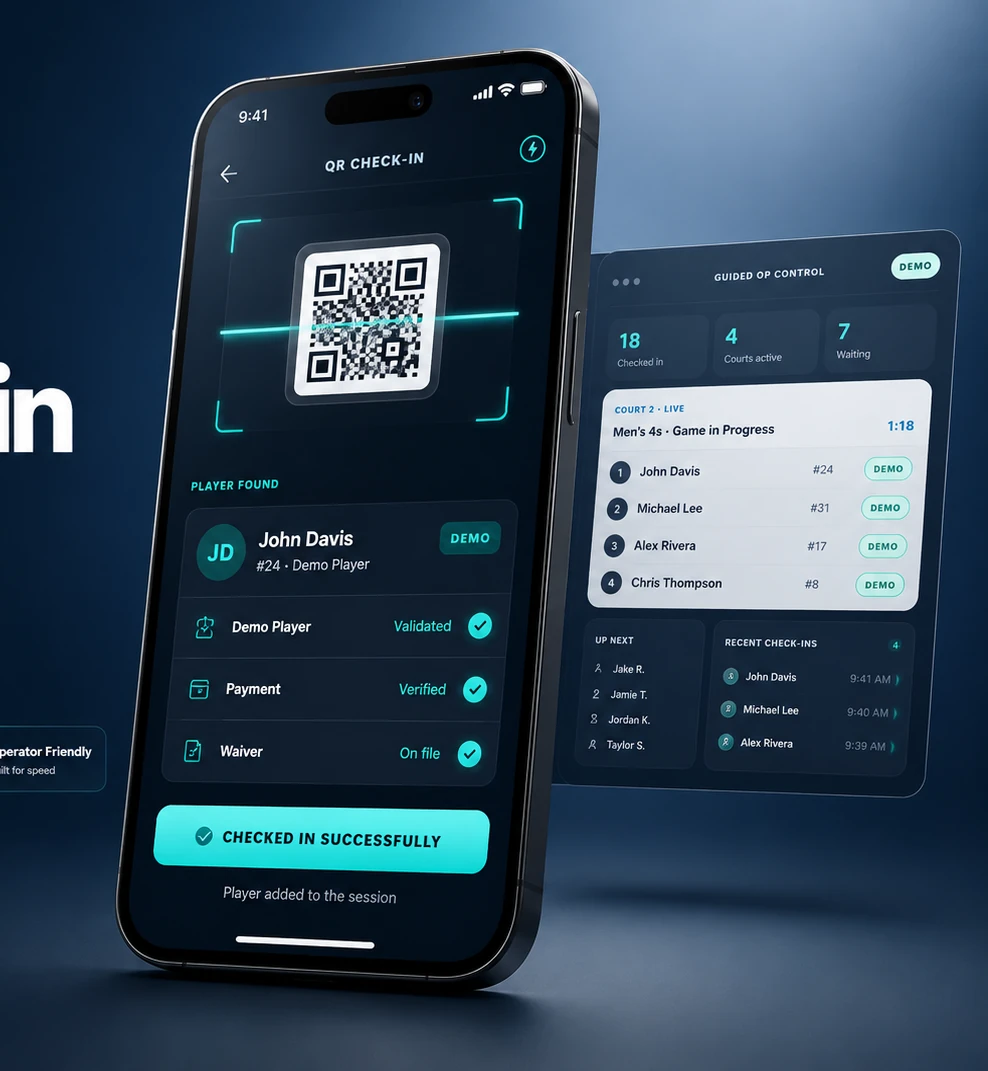
QR player check-in
Scan, identify, verify, and move a player into the live session in seconds. Operators can still search by name, approve registrations, and handle walk-ins when a QR code is unavailable.
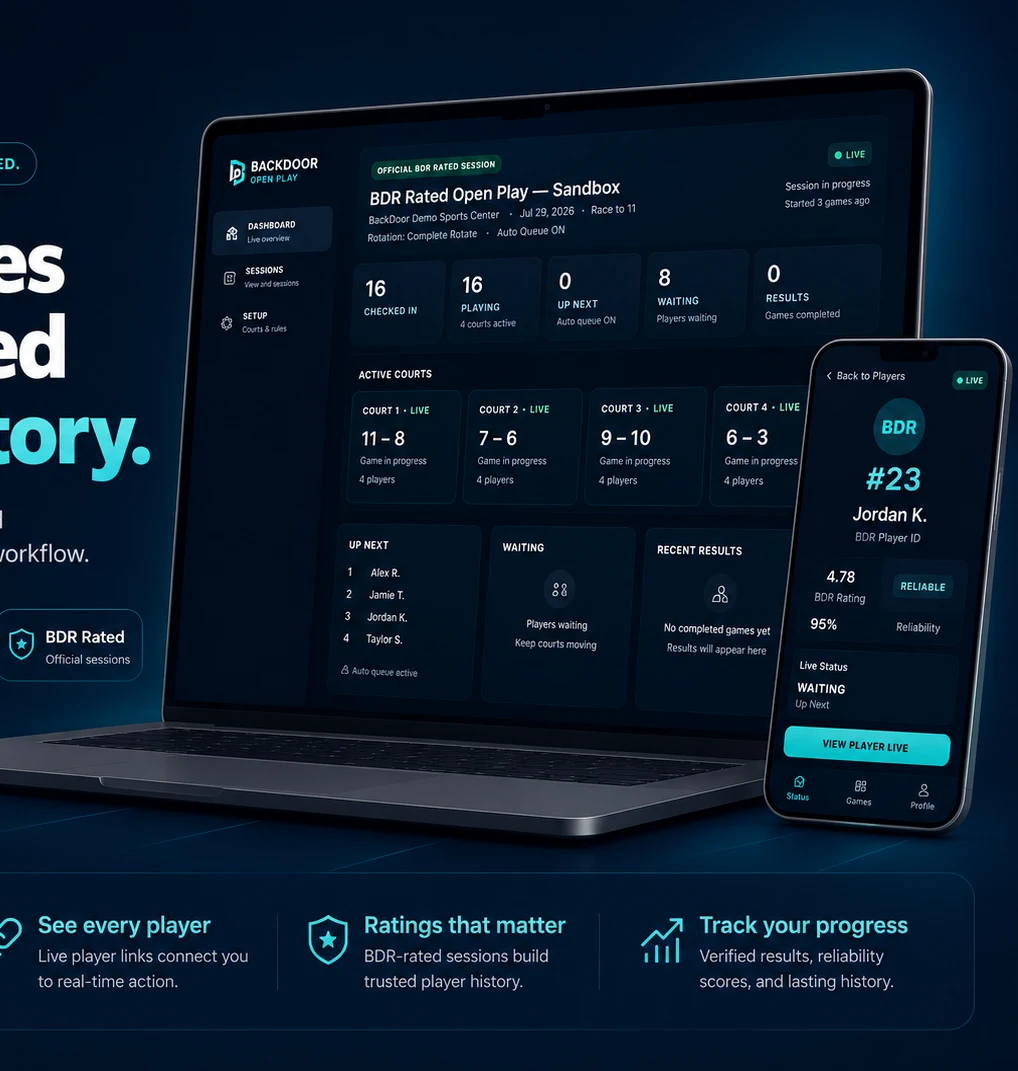
Powered by BackDoor Rating
Connect one verified player identity to rated Open Play sessions, game history, reliability, and approved results. Organizers may also run casual non-rated sessions from the same focused product.
A focused product with serious depth
The features are organized around the event—not around technical menus.
One focused control room that points the operator toward the next useful action.
Keep eligible players rotating while active courts stay productive.
Choose players and courts directly whenever the operator needs full control.
Support complete rotation, winner-stay formats, and event-specific rules.
Identify and check players in quickly from their reusable player QR.
Handle approvals, payment status, and same-day arrivals in one flow.
See current games, waiting players, Up Next, and available courts.
Save results from the operator desk or an authorized court scorer.
Give every player a private live page for queue and court status.
Help players notice court calls and important status changes. Beta.
Display active courts, waiting queue, Up Next, and recent results.
Use BDR-rated mode when approved or keep the session casual.
Let staff operate sessions without exposing full WordPress administration.
Preserve completed sessions, results, and participation history.
Keep proven operator controls available when automation is not appropriate.
Match one official BackDoor Rating identity to the player record.
Automation without losing control
The system creates eligible games, keeps the queue moving, and helps fill active courts with less operator work.
The operator chooses who plays, where they play, and when the next game starts.
What’s new
Updates are shaped by real sessions, real operators, and the problems that appear only during live operation.
Scan a player’s personal code to validate identity, registration, approval, payment status and check-in. A manual fallback remains available.
Players can open a private live page for current status, live score, recent games and next action.
Visible and supported sound or device cues can help get a player’s attention for Up Next, Locate and Court Call actions. Device behavior varies.
A focused operating desk brings current courts, waiting players, next actions and warnings into one workflow.
Choose how players rotate after matches while preserving waiting-time visibility and operator overrides.
Help built into the product
Documentation, FAQ, and Ask BackDoor help organizers understand the product without guessing through menus.
Private operational testing
See the product, test the workflow, and help shape a cleaner standard for organizers and players.
One connected network
BackDoor Sports OS sells and supports the system. BackDoor League proves it in real events. BackDoor Rating remains the central identity and rating authority.